Third-party device on Microsoft Azure
Table of contents
Background
VPN establishing over devices of different brands is always a tricky problem, especially for devices which have their own VPN parameter defaults. It usually takes a long time than expected to complete the parameter negotiation. In order to provide more compatibility for VPN establishing between Microsoft Azure and local network, third-party device deployed on Azure would be a good option.
Proposed solution
Install Azure supported third-party device on Microsoft Azure and setup VPN connection with devices hosted on local network. Finally, we need to ensure the networks are interconnected by the new established VPN.
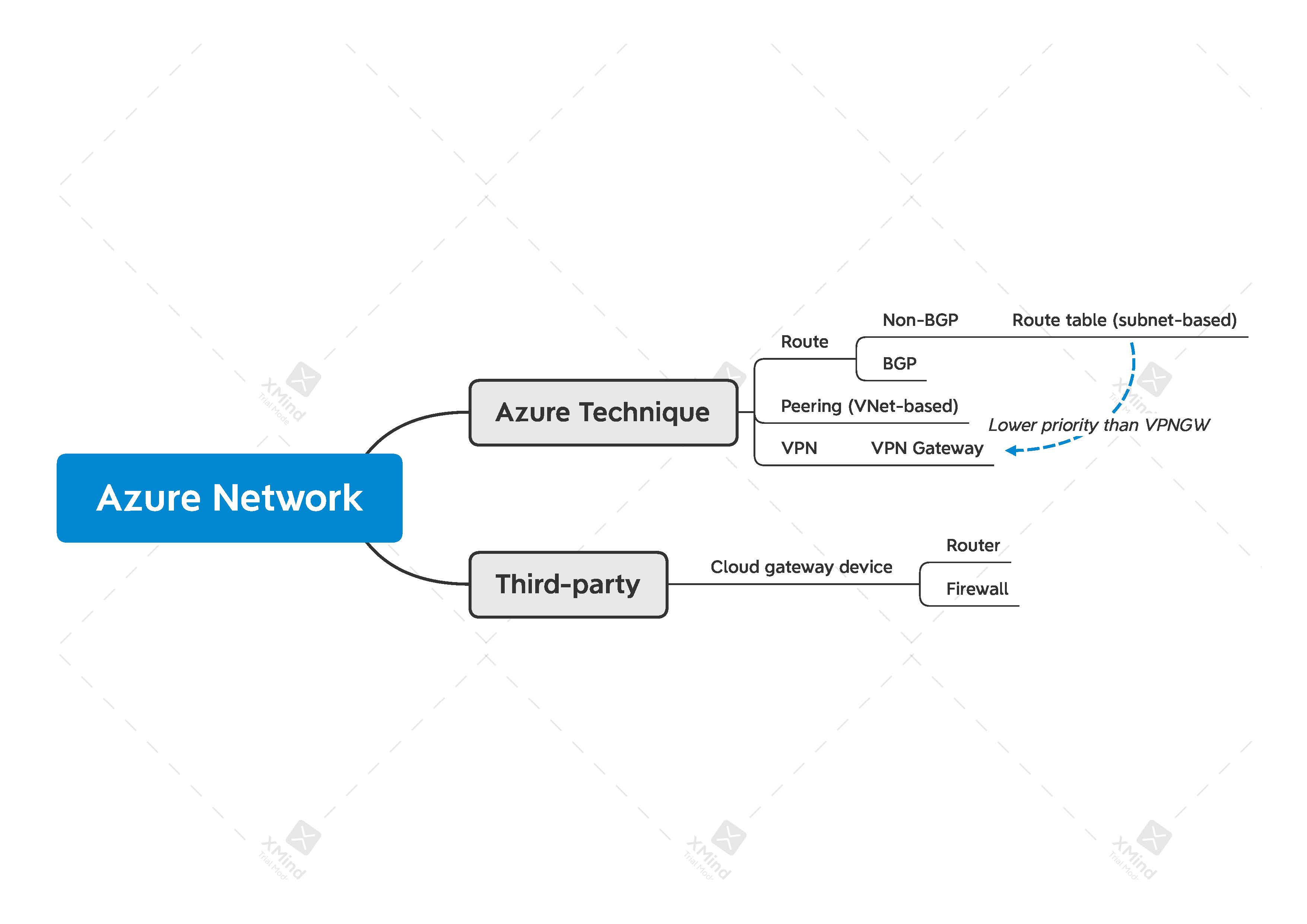
Azure network structure can refer to picture below:
Device installation
Install a thrid-party device software on Microsoft Azure is quit difficult if you can not find the software of the device on Azure’s marketplace. Fortunately, the software of the device in my case was available, I followed the guidelines on the Internet and combined with the instructions from ChatGPT to complete the intallation.
VPN establishment
Setup VPN connection with local network administrators
VNet internal interconnect
- Peering
- The first thing for the internal interconnect is to make sure the VNets contain subnets we want them to be interconnected are peered.
- Route table
-
Another concept we should know before proceeding is subnet, each VNnet should contain at least one subnet to be used for the its virtual machine. We can select
Use this virtual network's gateway or Route Serveroption to allow our VNet to read the routes from the remote gateway, which means we no longer need additional things to do for interconnection between cloud and local networks. However, this is not the case when we use a third-party device for VPN connection, the option above only be available when the peering VNet has anAzure VPN Gateway.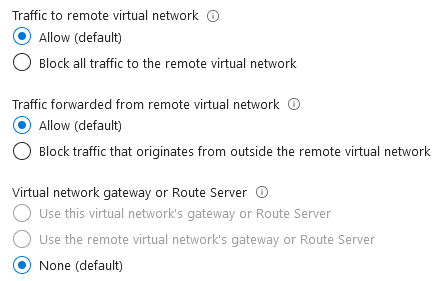
In order to overcome this issue, one and the easiest choice is
Route table, route table provides subnet-based routing, we can create single route table each for subnets, even for zone crossing traffic.
-
- Route priority
- Every device has route priority policy, Microsoft Azure does. On Microsoft Azure, we should always think of the routes you defined in VPN gateway. If a route conflict can be found between VPN gateway and your third-party device, Azure usually prefer VPN gateway as its next hop.